Whytelefe p2
Next up is a box frame construction formed by four steels to transfer the weight back to the ground footing and give lateral restraint to the structure.
More pictures can be seen @ whyteleafe project
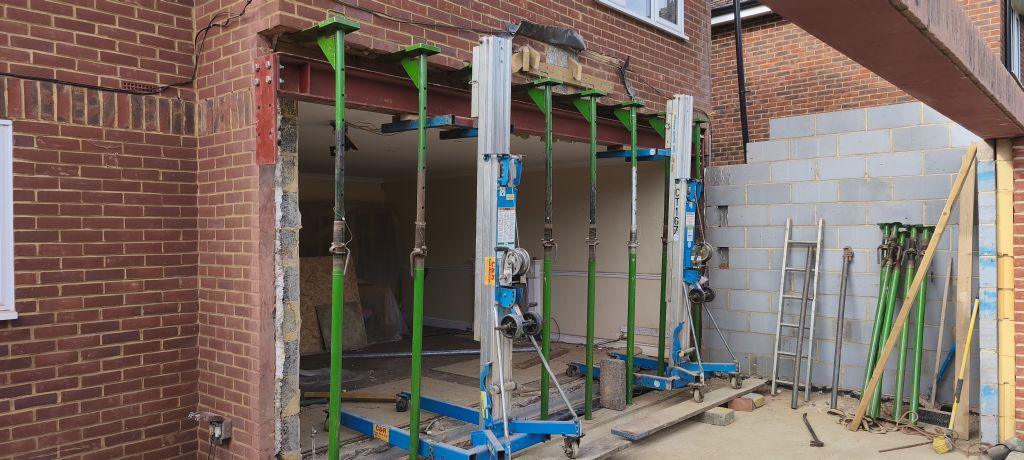
Next up is a box frame construction formed by four steels to transfer the weight back to the ground footing and give lateral restraint to the structure.
More pictures can be seen @ whyteleafe project
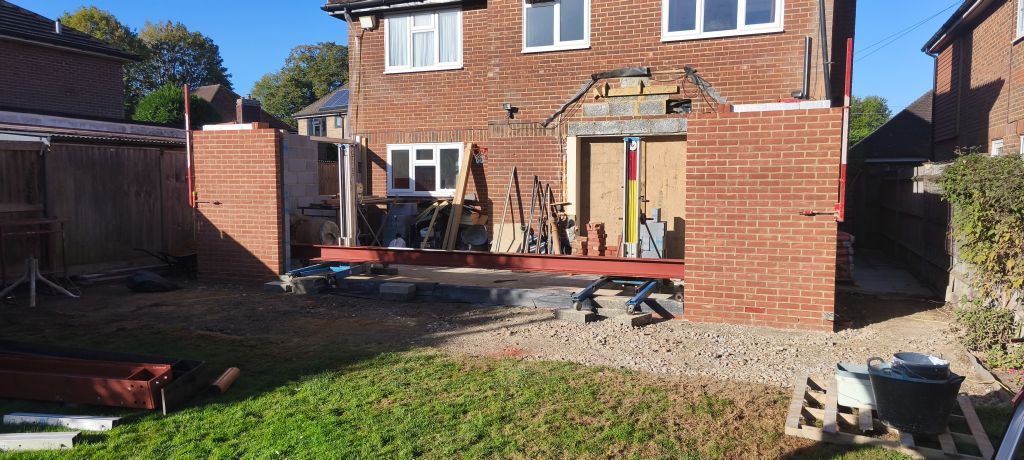
Let the Fun begin, up first is a 525 kg 6.6 meter UC with under weld plate.
More pictures can be seen @ whyteleaf project
Smart-UPS_Firmware_Upgrade_Wizard_v4.3.8v8
Version:
========
FUW 4.3.8
Applicable Models:
================
APC Smart-UPS SMT, SMX, SMC, SMTL, SRT, SCL, SRTL, SRTXU, XU, XP, CSH ,SRTL series.
OS Compatibility:(64-bit Only)
==============================
Release Notes (FUW 4.3.8):
==========================
1. USB upgrade issue fixed for UPS with the exception of Smart UPS with ID 1013 and 1014.
2. New firmware file updated for SRTL3KRM1UNC/SRTL2K2RM1UNC, SRTL3KRM1UC/SRTL2K2RM1UC, SRTL1062, SRTL1063, SRT1002,SRT1013,SRT1014,SRT1020,SRT1021,SRT1044,SRT1045, SMTL1064,SMC1028,SMT1027,SMC1018,SMT1015.
The Smart-UPS and single-phase Symmetra application firmware v7.2.0 release notes apply to the following NMC cards:
• AP9630 (CH) UPS Network Management Card 2
• AP9631 (CH) UPS Network Management Card 2
• AP9635 (CH) UPS Network Management Card 2
• Single-Phase UPS models with an integrated Network Management Card 2 – AP9537SUM
(e.g. All Smart-UPS SRT models 5kVA and above)
ap7921 firmware version AOS v394 / RPDU v393
Unzip and run the exe which will self extract and run the updater, follow prompts to login into pdu/ups.
I did have problems with login so I edited the iplist.txt and then rerun the updater upgrd_util file which then worked fine, may of just been a glitch.
Spent alot of time tracking down this version on the internet so hope this helps others